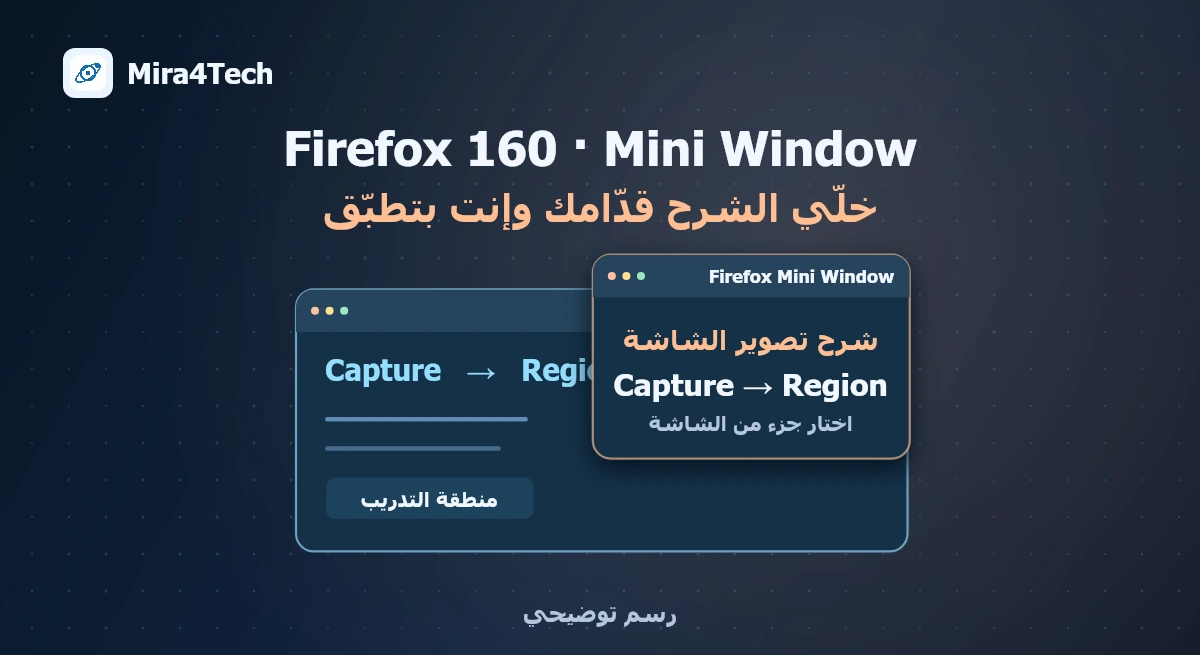
Firefox 160 Mini Window: keep a guide above your apps
Use Firefox 160 Mini Window to float an entire tab or part of a page. Follow an illustrated ShareX example and learn how to move the tab back.
Guides, software tutorials and technology news in one feed, newest first.
Use Firefox 160 Mini Window to float an entire tab or part of a page. Follow an illustrated ShareX example and learn how to move the tab back.
How Apple HomeView controls your home, when it shows personal messages and calendars, and what Apple announced about price, markets and supported languages.
We tested Google AI Mode in Arabic with an SSD upgrade question, found Dell’s manual and checked a capacity figure against the official specifications.

Use Android as a webcam on Windows 11 or iPhone on Mac, select it in Zoom or Google Meet, and test the preview before joining.
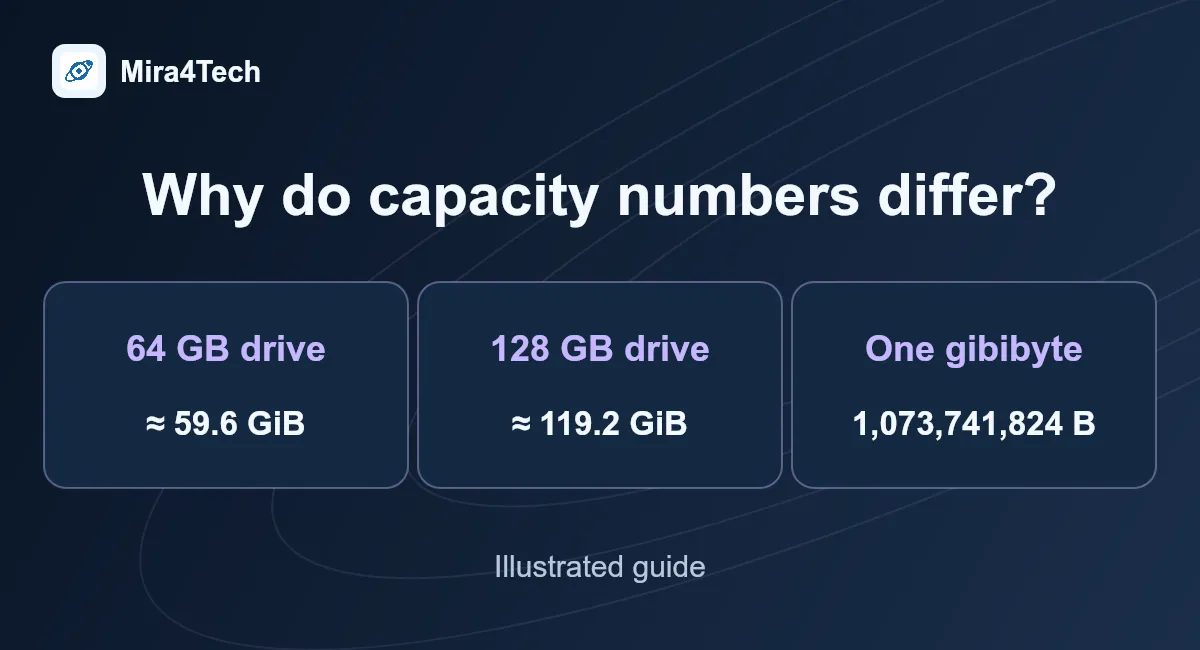
Understand the capacity Windows displays, verify write and read capacity on an empty USB drive or memory card, and interpret H2testw results.
Choose the symptom you see, then check for a missing printer, an Offline status or a stuck print job. Verify each fix with a one-page test.
Generate a Windows 11 battery report, find Design Capacity and Full Charge Capacity, and calculate what those readings mean for your laptop.
Separate the video filename from its audio and video codecs before choosing a player or export.
BAK and TMP do not identify the underlying format. Find the creating app and test recovery in a separate location.
See how Command Prompt interprets a script and check its paths, inputs and effects before any test.
Distinguish a bitmap, GIF animation and multi-size icon, and test the properties that matter after conversion.
Understand Windows DLLs, distinguish app and system files from runtime dependencies, and verify a repair from the appropriate source.
Tell mounting a disk image from installing a macOS package and verify the publisher before installation.
Identify a single message, an Outlook archive or a local mailbox cache, and inspect it without exposing email data.
Distinguish page structure, styling and behaviour, and inspect web files before previewing them.
Identify the actual configuration syntax and file the app reads, then change and test one setting at a time.
Read JSON and XML in a text editor and distinguish valid syntax from compatibility with the receiving app.
Tell a Windows shortcut from an internet shortcut and understand why copying it does not copy its target.
Tell audio containers from codecs and choose a sharing or editing copy with a quality check.
Check the download in its original app, see when resuming is possible and verify the completed file.
Distinguish PowerShell scripts from modules and their data, and inspect commands and permissions before execution.
Separate reading from execution and check the environment, dependencies and paths for Python and shell scripts.
Understand what a REG file changes, inspect it as text, back up the affected key and verify the result.
Distinguish SQL statements from a database file and inspect a local copy after identifying the format.
Tell a driver binary from its setup information and choose a package for your hardware and Windows release.
Understand torrent metadata and review the contents and origin before downloading authorised material.
Preview a trusted font, test Arabic and weights, and check embedding and sharing rights.
Distinguish virtual disks from ISO installers and inspect a copy before attaching or converting it.
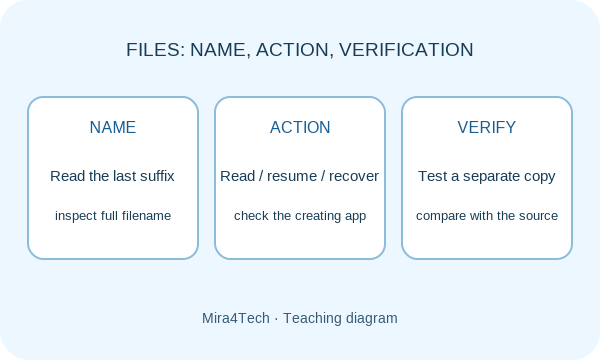
Read full filenames and status before opening. Practise decisions involving scripts, settings, shortcuts and incomplete downloads.
Five scenarios after setting up Windows. Choose the action that addresses the cause with the smallest change, from missing DLLs to network drivers.
Use the official installer, verify git --version and practise status and diff in a local training folder.
Install the official editor, open a training folder and understand reading code, execution and workspace trust.
7z supports archive compression and encryption options.
APK is an Android application package.
AVIF is a modern image format based on AV1 technology.
CSV stores text records with separated fields, while TSV commonly uses tabs.
DEB is common in the Debian and Ubuntu family and RPM in Fedora and CentOS Stream.
DOCX is a modern Word document format and DOC is an older one.
EPUB is an ebook format.
EXE is an executable and may be an installer, standalone app or other tool.
FLAC compresses audio losslessly, while WAV is a container often carrying uncompressed PCM.
HEIF is an image container family, and HEIC is common for Apple-device photos.
A disk image represents media contents or disk structure.
JPEG is commonly used for photographs and can discard detail during compression.
Matroska is a flexible container that may hold multiple video, audio and subtitle tracks.
MOV is a container associated with QuickTime and can contain different codecs.
MP3 uses lossy audio compression.
MP4 is a container that can hold video, audio and other information.
ODT is for text documents, ODS for spreadsheets and ODP for presentations in the OpenDocument family.
PDF describes pages for viewing and printing.
PNG is a raster image format supporting transparency and lossless compression of stored image data.
A presentation combines slides, object positions and notes, and may include animation and media.
PSD is associated with Photoshop, XCF with GIMP projects and KRA with Krita projects.
RAR archives may use one file or multiple volumes.
RTF stores formatted text, including font and paragraph information, and can contain additional elements depending on the app.
A subtitle file links text cues with timings.
SVG describes graphics using vector elements and may also contain text or embedded or linked raster images.
TAR collects files and paths in an archive, which may then be compressed with gzip or xz.
A text file stores characters using an encoding.
WebP is used for web images and supports lossy and lossless modes, transparency and animation depending on the file.
A workbook can contain worksheets, formulas, formatting, charts and data sources.
ZIP stores files and directories in an archive and may use compression or encryption.
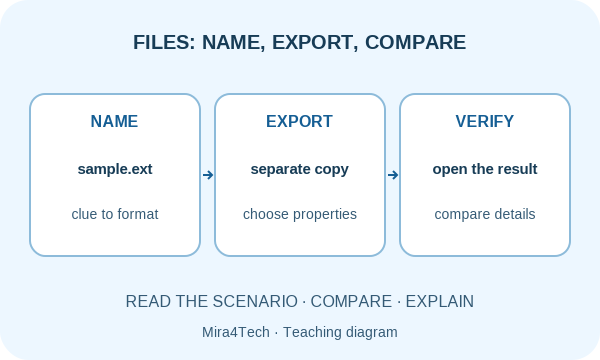
Distinguish filenames from structure, then examine conversion purpose and possible losses.
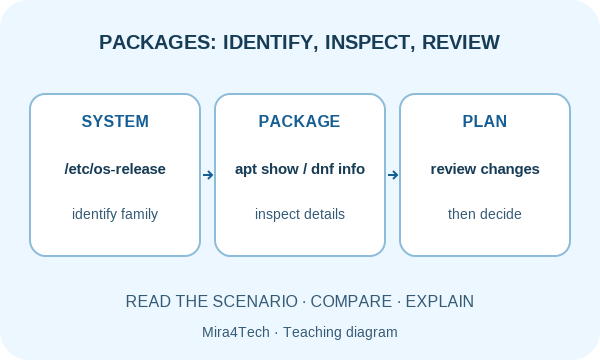
These examples cover Ubuntu and Debian with APT and Fedora and CentOS Stream with DNF.
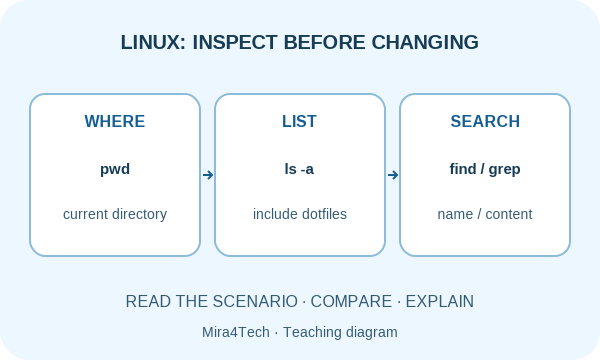
Assume Bash with GNU tools on Ubuntu, Debian, Fedora or CentOS Stream.
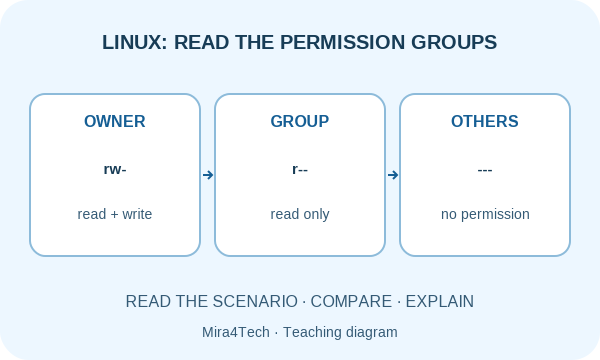
Assume a training file you own and traditional permissions without additional ACLs in the question.
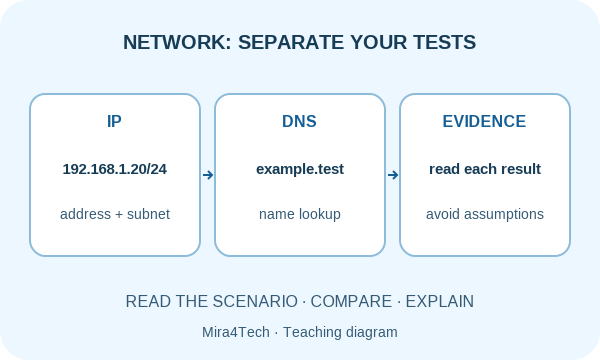
Numbers and names here are training data.
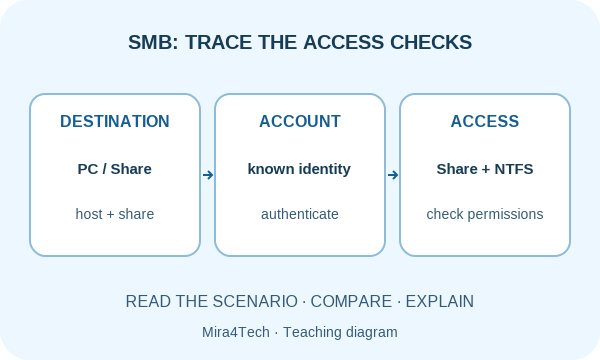
Assume a trusted network and devices you are authorised to manage, with a training folder and non-sensitive file.
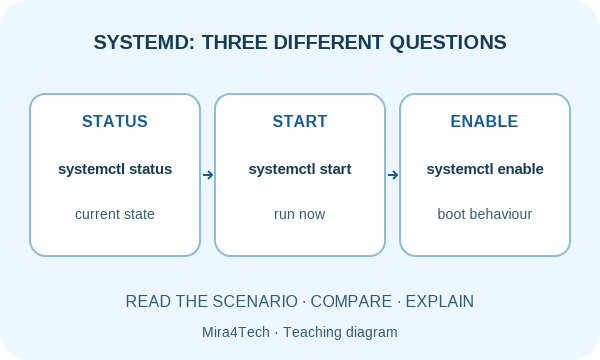
Assume Linux with systemd and a training unit named demo.
These are decision scenarios before and after Windows 11 installation.
Plan pre-format checks and first boot, then verify updates, drivers, files and applications with a clear test at each stage.
Understand search, show and install, review package identity, sources and agreements, and test the installed application.
Windows could not start the selected device. Understand the context and follow diagnostic checks and verification, with an original diagram and official references.
Windows stopped the device after a controlling driver reported a problem. Understand the context and follow diagnostic checks and verification, with an original diagram and official references.

Another process is using the package database or package-manager lock. Understand the context and follow diagnostic checks and verification, with an original diagram and official references.
APT cannot find the package name in its available source metadata. Understand the context and follow diagnostic checks and verification, with an original diagram and official references.
systemd could not find the requested unit in the selected manager scope. Understand the context and follow diagnostic checks and verification, with an original diagram and official references.

The connection certificate could not be validated against the current date. Understand the context and follow diagnostic checks and verification, with an original diagram and official references.
The connection was interrupted while the page was loading. Understand the context and follow diagnostic checks and verification, with an original diagram and official references.
The connection did not complete within the waiting period. Understand the context and follow diagnostic checks and verification, with an original diagram and official references.
The browser could not obtain an appropriate address for the site name. Understand the context and follow diagnostic checks and verification, with an original diagram and official references.
The account was denied access to the share or an item inside it. Understand the context and follow diagnostic checks and verification, with an original diagram and official references.
Windows could not reach the requested network-share path. Understand the context and follow diagnostic checks and verification, with an original diagram and official references.
Security policy blocks unauthenticated guest access to the share. Understand the context and follow diagnostic checks and verification, with an original diagram and official references.
The application cannot open because a required runtime library was not found. Understand the context and follow diagnostic checks and verification, with an original diagram and official references.
Windows Installer reported a general installation failure. Understand the context and follow diagnostic checks and verification, with an original diagram and official references.
This package cannot start while another installation is running. Understand the context and follow diagnostic checks and verification, with an original diagram and official references.
This installer cannot proceed with the product version already present. Understand the context and follow diagnostic checks and verification, with an original diagram and official references.
The update could not locate a required file or complete an installation stage. Understand the context and follow diagnostic checks and verification, with an original diagram and official references.
Access was denied while Windows was downloading or installing an update. Understand the context and follow diagnostic checks and verification, with an original diagram and official references.
There is not enough storage for the update download or preparation. Understand the context and follow diagnostic checks and verification, with an original diagram and official references.
The Windows upgrade failed and may have rolled back to the previous version. Understand the context and follow diagnostic checks and verification, with an original diagram and official references.
Practise Linux navigation, absolute and relative paths, copying, moving and renaming in a fresh folder, with checks that protect existing files.
Learn when to use find versus grep, practise filename and content searches with known sample data, and interpret matches and errors without changing system files.
Access a Windows SMB share from Ubuntu using authorised credentials, test a sample transfer, diagnose access errors and remove temporary sharing afterwards.
Read IP, gateway and DNS settings, test connectivity in stages, and interpret ping latency and tracert timeouts without blindly changing network settings.
Know when SFC and DISM are appropriate, distinguish checking from repairing, follow the sequence and verify the original symptom afterwards.
Understand Windows Recovery Environment, Startup Repair and Safe Mode, prepare the BitLocker key and protect data before choosing a recovery action.

Set up a consent-based AnyDesk session, choose appropriate permissions, test screen sharing and disconnection, and understand licensing and connection errors.

Install BlueStacks 5 from its official source, choose an Android instance, allocate resources sensibly and diagnose app compatibility or slow performance.

Install CapCut from its official source, combine two clips, add readable text and captions, and export a playable video while checking Pro restrictions.

Start with free DaVinci Resolve, organise media, configure a timeline, trim two clips and export a checked video while understanding Studio-only features.

Learn Filmora with two clips: import, trim, add a title, preserve the project and export a checked video while understanding the trial watermark.

Start with Adobe’s official Photoshop trial, crop a practice photo, use an adjustment layer, preserve an editable PSD and export a shareable image.
Understand systemd service states and start versus enable, practise with a limited user service, and inspect journalctl logs without stopping essential system services.
Find, install and remove software with APT, understand update versus upgrade, review proposed changes and diagnose common package-management errors.
Understand owners, groups and rwx permissions. Practise chmod and chown in a dedicated Ubuntu exercise folder without opening private files to everyone.
Diagnose Wi-Fi connected without internet: compare devices, inspect IP and gateway details, and test DNS before changing settings or resetting networking.
Compare 2.4 GHz and 5 GHz Wi-Fi coverage, interference and device support, then choose and test a band without making random router changes.
Enable System Protection, create a Windows 11 restore point before driver changes, review affected programs and distinguish system recovery from a file backup.

Check Phone screen compatibility or use scrcpy over USB on your authorised device, with permission checks, a practice task and safe debugging-session cleanup.
Separate charging from a data connection, select File transfer, test the cable and port, then copy and verify a practice file without formatting or erasing data.
Set up Quick Share, limit device visibility, transfer and verify a practice copy, and troubleshoot discovery and receiving without disabling protection.
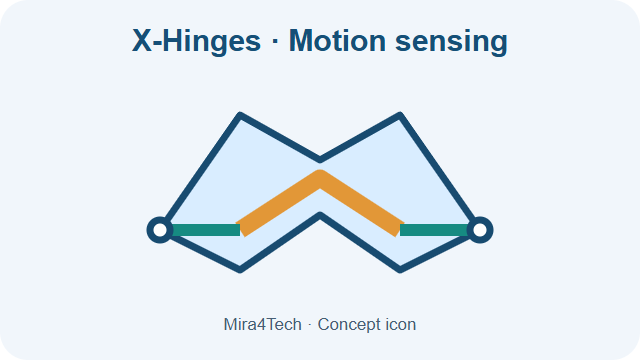
Learn how MIT and Tianjin’s X-Hinges embed motion sensing in printed joints, why resistance and calibration matter, and what remains experimental.
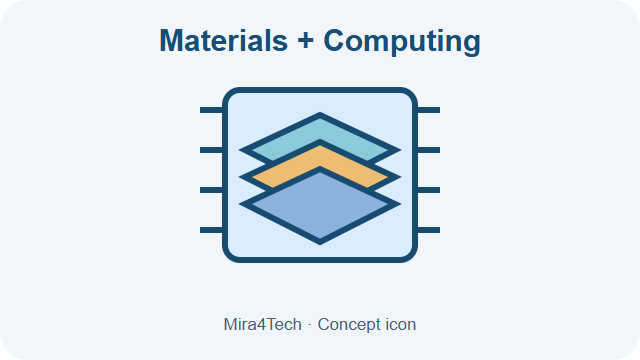
Understand Brown’s ultrathin bismuth ferrite research, lower-power memory concepts and the gap between a materials result and a working commercial chip.
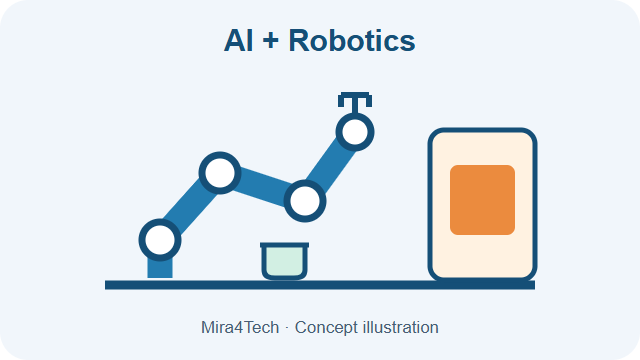
Understand Nottingham’s robotic laboratory, active-learning coating research and the gap between preparing a sample and qualifying an aviation product.

Understand RTX Spark, unified memory, Windows on Arm and the distinction from DGX Spark, with availability dates, privacy limits and original diagrams.
Compare two Whisper sizes on one synthetic Arabic sample with observed timings, word error rates, original files and local setup and review steps.

Outline four slides, set source and language, then inspect the downloaded PDF. An actual trial shows useful results and a layout defect requiring correction.

Define the task, source, boundaries and output with templates for summaries, study and troubleshooting, then check and revise the response.
Try summaries, a message draft, a schedule and review questions from an original brief, then identify unsupported additions and correct them.
Prepare a source, create a summary and questions, and inspect citations. An original copied-text trial with PDF-upload and OCR limits explained.

Use the official download, merge practice PDFs, split their pages and compress a copy, then verify the saved output locally.
Separate SSD form factor from interface, check the exact drive and system specifications, and plan backups before an upgrade.
Read installed memory and module details, then check your exact system model and manufacturer documentation before choosing RAM.
Identify what fills C, review temporary files and Storage Sense, and verify copied files before removing originals. Understand Windows.old and OneDrive choices.
Identify the delayed startup stage, review apps in Settings or Task Manager, and compare one familiar task before and after a reversible adjustment.
Observe CPU, Memory and Disk during a familiar task, distinguish expected activity from a repeated pattern, and test one adjustment before drawing a conclusion.

Separate room noise from echo and clipping, select one microphone input, and understand Noise Suppression, Compressor, Expander and Noise Gate with a repeatable recording check.
Set up a lesson window and webcam without covering text, arrange source layers, understand Preview and Program, and review a short recording before your main tutorial.
Install Ubuntu 26.04 LTS in VirtualBox on Windows 11: download the ISO, verify it, configure the virtual disk, and follow screenshots and boot troubleshooting.

Find packages, review repositories, install and verify nano, and understand updates and removal, with practical explanations of privileges, dependencies, and DNF errors.
Share files between Windows 11 PCs over a local network. Set up a named read-only account, open the shared-folder path, and diagnose access and credential errors.
Choose and verify an official ISO, create a separate virtual disk, install CentOS, set up an account and check booting and updates.
Set up a separate File History backup, test restoring a file elsewhere, and understand coverage, privacy and common problems.

Download ShareX officially, capture part of your screen, add arrows and rectangles, and verify the saved image. Illustrated steps, local saving, and troubleshooting.

Learn to download SumatraPDF officially, open a PDF, navigate pages, search its text, and check the print range. Illustrated guidance and scanned-document limitations.
Compare Wi-Fi and Ethernet under similar conditions, distinguish link rate, throughput and latency, and choose for your actual tasks.
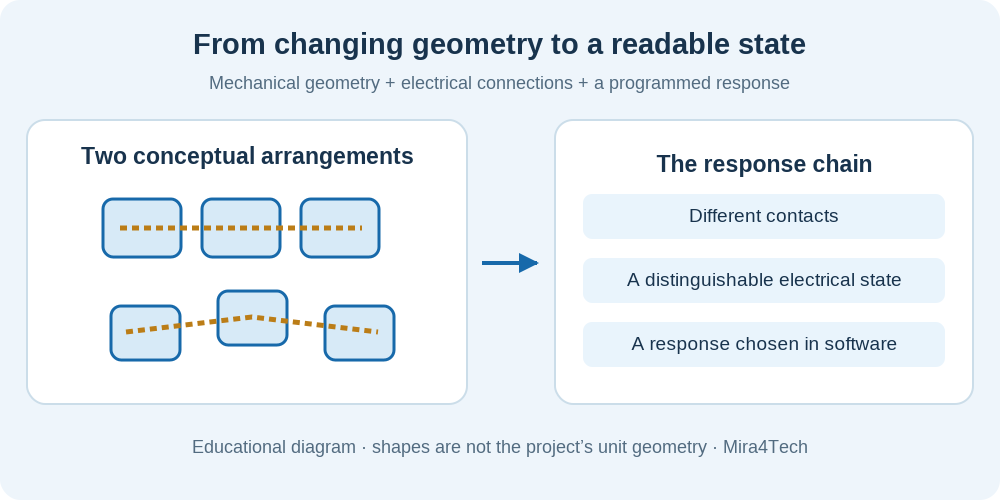
How MIT combines reconfigurable geometry with electrical sensing, what the prototypes demonstrated, and why power, latency and durability still matter.
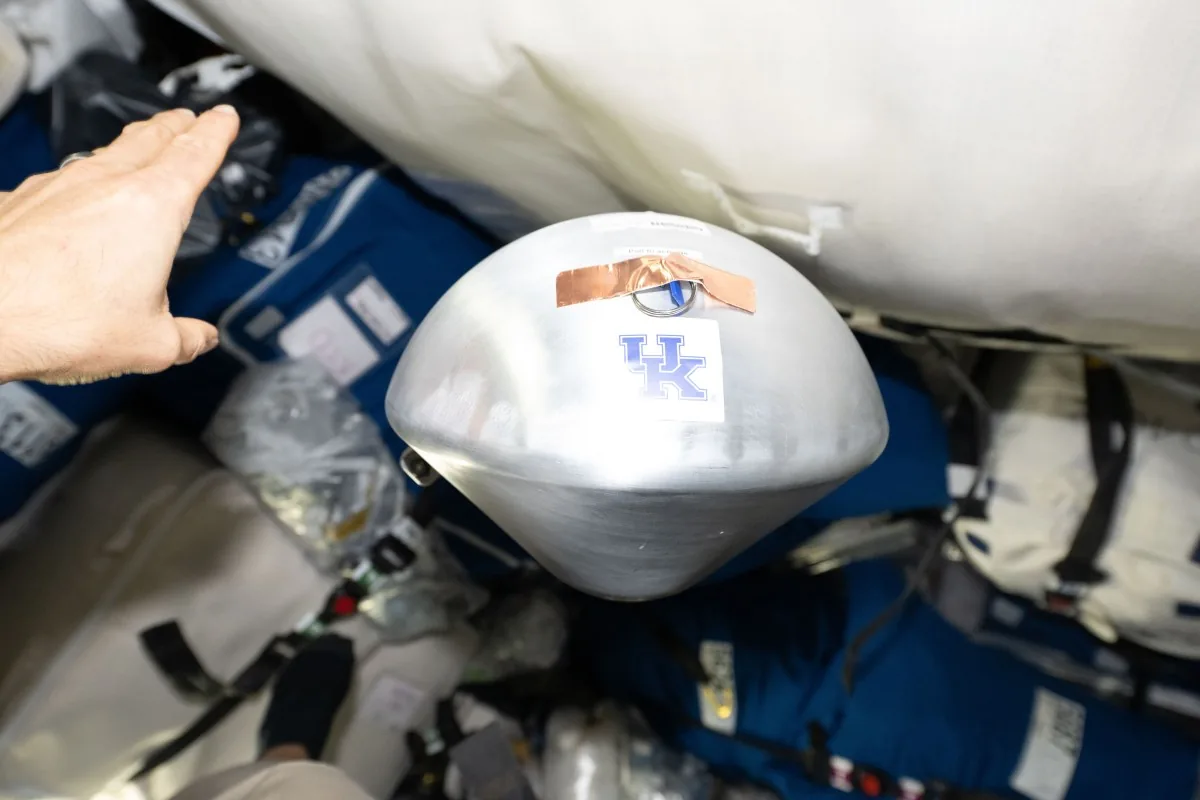
How twelve small reentry capsules gather evidence for thermal protection, what MERINO changes, and why an experiment is not final qualification.
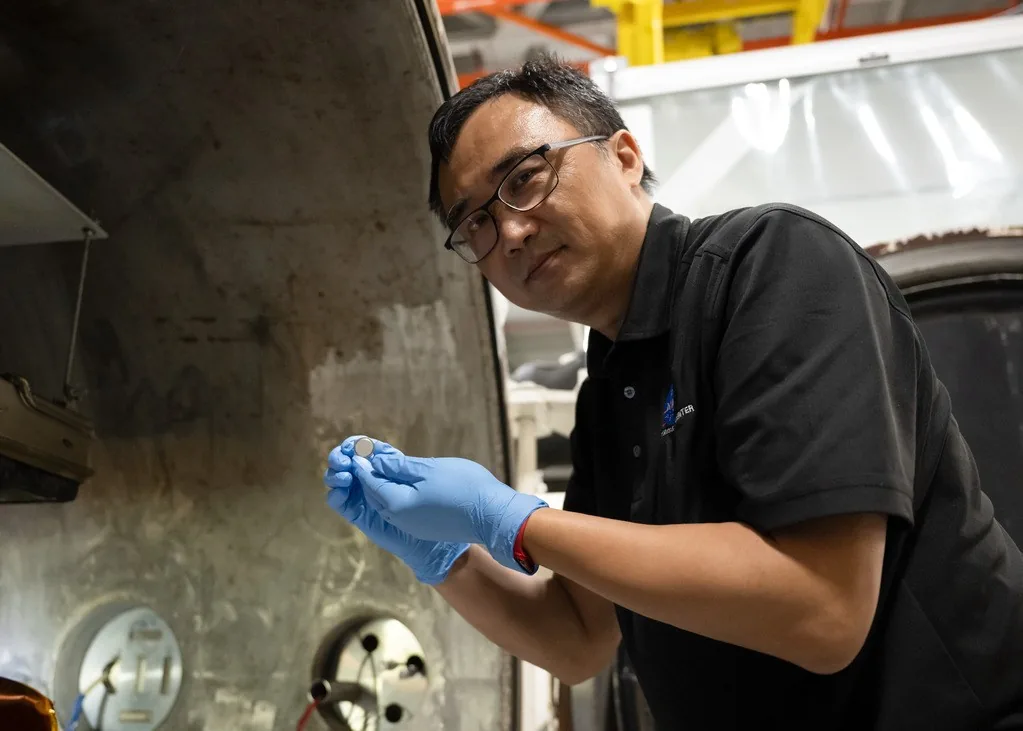
The difference between SPEARS prototype operation at −80°C and survival at −170°C, how solid electrolytes work, and the evidence still needed.

Find a file from part of its name, narrow results by type and folder, and understand missing drives and why checking the full path matters before opening a result.
Install OBS from the official source, understand scenes and sources, and test screen and audio capture before recording.
Download Microsoft PowerToys for Windows 11 or 10, choose x64 or ARM64, and follow FancyZones, PowerRename, and Keyboard Manager exercises with undo steps.
Turn an official ISO into bootable USB media, understand GPT and UEFI, and identify the correct drive before confirming the write operation.

A Windows VLC guide: download from VideoLAN, play media, add subtitles, and troubleshoot audio or video safely.

Open RAR and ZIP files, create an archive you can check and share, and understand split volumes, passwords, repair limitations, and the trial license.
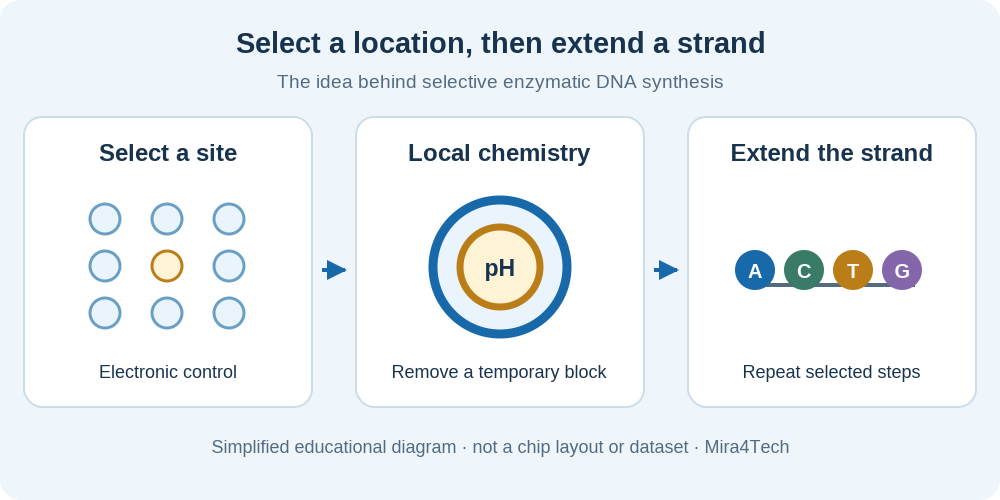
How an electronic chip directs DNA synthesis in water, the 64-sequence demonstration, the 169-byte example, and the chemistry that limits scaling.
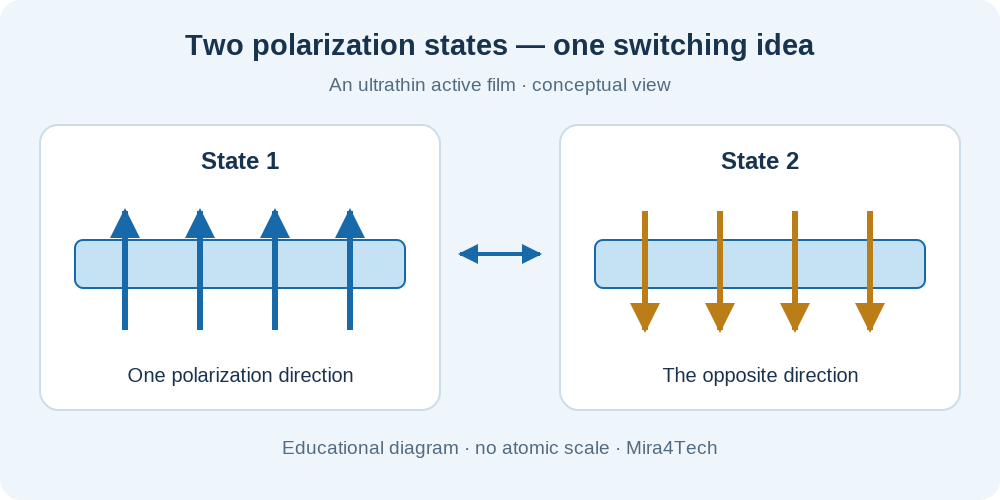
How strain gives an ultrathin gallium oxide film switchable polarization, what 0.8 V means, and what remains before a memory product.

Create an archive you can verify, extract files into a predictable folder, and choose between ZIP and 7z with a clear understanding of compatibility and encryption.

Install the official Internet Download Manager, connect its browser extension, and manage a first download with clear checks for folders, resuming, queues, and licensing.

Learn to download LibreOffice officially, install it, test Writer and Calc, and handle Microsoft Office compatibility.
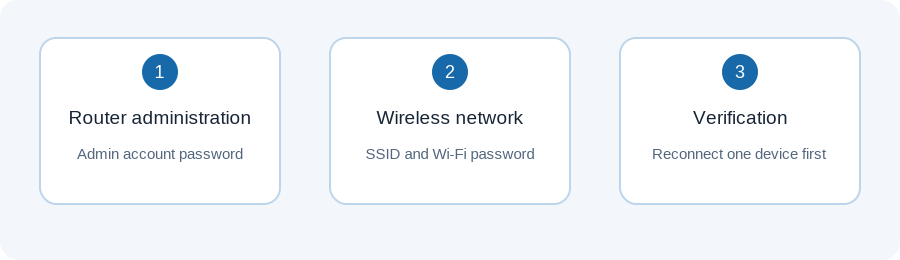
Understand router and Wi-Fi passwords, change the intended settings and verify connectivity, coverage and management access.
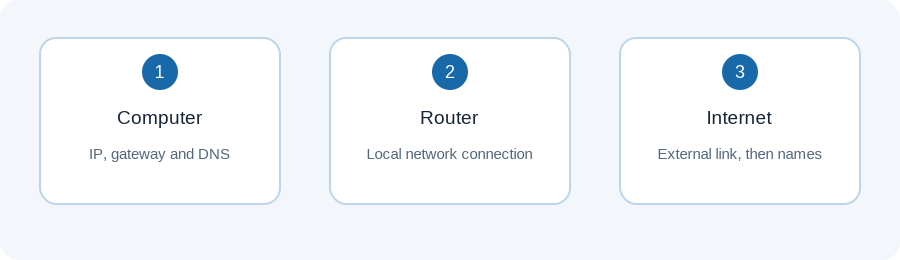
Understand IP, routers, DNS and DHCP, read Windows network settings, and diagnose a home connection one layer at a time.
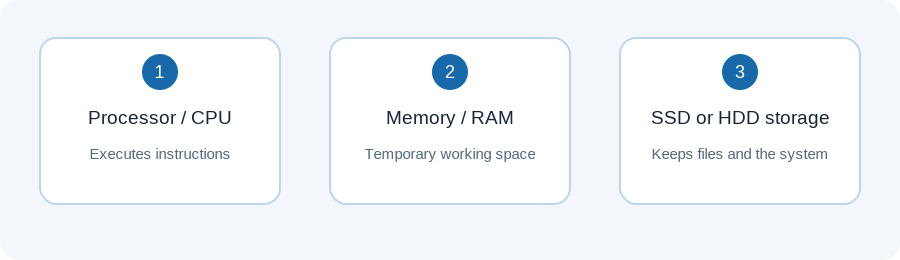
Understand CPU, RAM and storage roles, distinguish SATA, NVMe and M.2, and plan a compatible upgrade with a usable file backup.
Verify software sources and publishers, choose appropriate Windows setup options, test the application, and uninstall it safely.
Beginner's guide to installing Windows 11: requirements, official media, USB, UEFI, setup, checks, and troubleshooting.
Set up Windows after installation, verify updates, drivers, sound and networking, then check backups and recovery readiness.
Diagnose Windows problems by recording the symptom, identifying recent changes, testing one cause at a time, and protecting files before recovery.