How to write clear AI prompts: examples and reusable templates
Define the task, source, boundaries and output with templates for summaries, study and troubleshooting, then check and revise the response.
You ask for a summary and receive polished paragraphs that miss your purpose or add facts the source never supplied. A useful next step is to clarify the task, the reference and the boundaries. This guide builds a reusable request, then checks it against a small original training example. The aim is a draft you can verify, rather than a response that merely sounds convincing.
You will finish with a prompt template, examples for common tasks and a practical review checklist. No wording guarantees a correct answer. You do not need special phrases or a paid prompt collection to describe what you need.

What is a prompt?
A prompt is the question, instructions and supporting material you send to an AI tool. It can be one sentence or a request accompanied by a file. “Explain a backup to a beginner in five sentences, then ask one question to check understanding” supplies a topic, audience and output. “Explain computers” leaves many decisions to the tool.
Length is not the goal. Include details that change the answer: the reader's knowledge, the source of facts and the intended format. Repeatedly calling the model an expert does not replace those details. For a small task, a precise sentence may be enough.
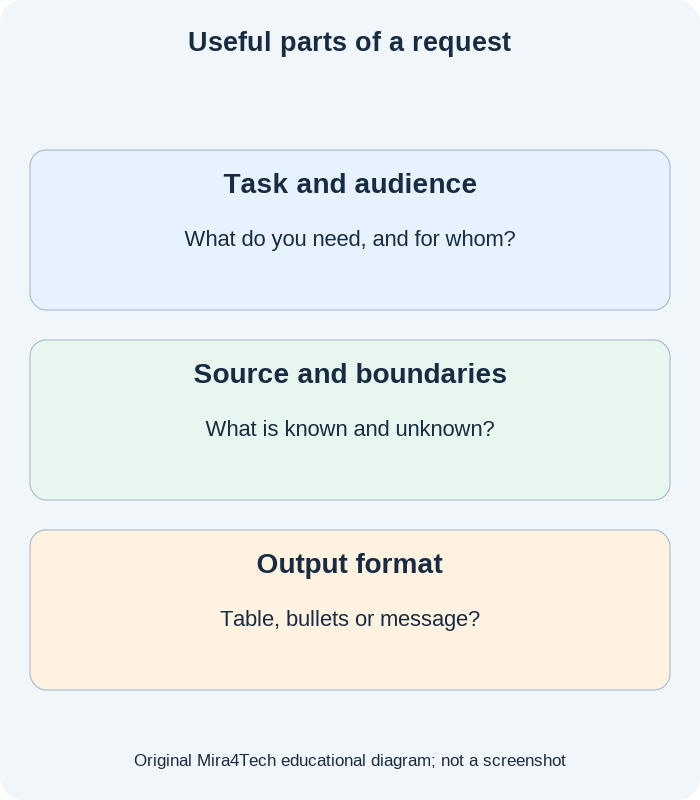
Decide what you will do with the result
- Choose the actual deliverable: a summary to understand, a message to send, or a table whose figures need checking. Each requires a different test.
- Prepare material you are allowed to use. Remove private names, contact details, passwords and keys from a learning exercise.
- Identify the reader: a beginner, a student or a colleague familiar with the vocabulary. Adapt the explanation while preserving the facts.
- Write down the unknowns. “Not stated” is more useful than a plausible detail that fills a gap without evidence.
A reusable template
Task: [What exactly should the tool produce?]
Audience: [Who will read it, and what do they know?]
Source:
[Paste material you are permitted to use.]
Boundaries: Use only the source. Do not add names, figures or dates.
If an answer is absent, write “not stated” and identify what is missing.
Output: [Bullets, table or message, with a suitable length.]
Review: Separate source facts from suggestions and identify support for each figure.
Remove fields you do not need and replace the brackets before sending. If you want new ideas, explicitly request a separate suggestions section. Do not mix brainstorming into a source summary. A citation request helps only when you can open the reference and check the relevant passage; a reference number alone does not establish that a statement is correct.
Before and after: a fictional training announcement
Our original practice brief describes a fictional beginner session on Saturday, lasting thirty minutes. Exploring Windows 11 takes ten minutes, organising files ten, and reviewing how to copy a practice file ten. The trainer, venue, fee and calendar date of that Saturday are unspecified. The brief does not describe registration.
Before: “Write an attractive announcement for this training.” That leaves room for unsupported promotional details. After: “Write a description of no more than sixty words using only this brief. State that it is fictional training material. Keep the duration and activities. Add no registration process, free offer or organising institution. Finish with the details that remain unspecified.”
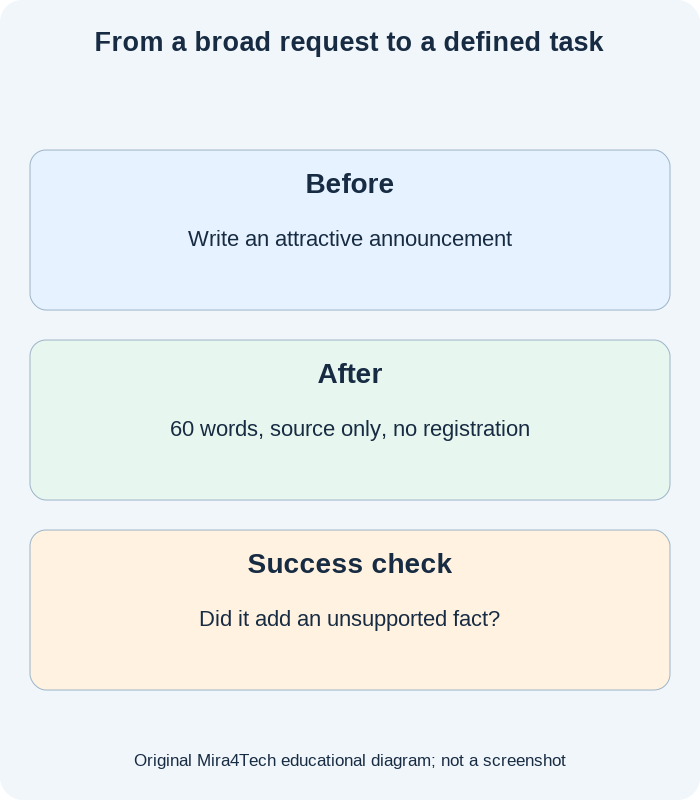
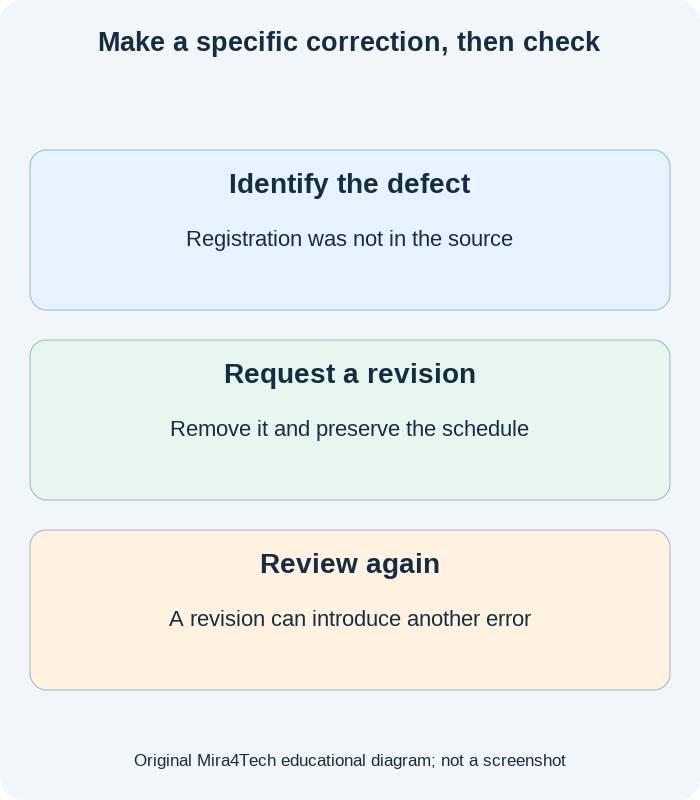
This is an editorial comparison of two proposed requests, not an independent performance measurement. In our actual Gemini trial on 27 October 2026, the first response introduced a call to register despite the missing registration information. A follow-up improved the text but then called the website an institution without support. The Gemini beginner guide explains the observed results. A correction request remains something to review.
Summarise without losing important conditions
Summarise the supplied text in four points for a beginner.
Preserve figures, exceptions and conditions for applying the steps.
Do not turn a suggestion into a fact or add outside information.
Then provide a table: statement | supporting passage from the source.
Identify gaps instead of filling them with guesses.
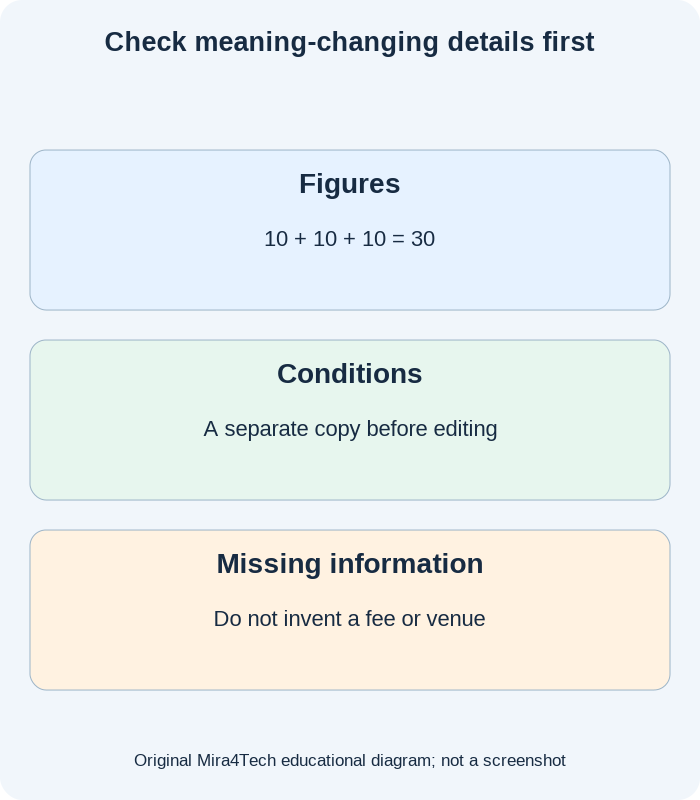
Read the original again after receiving the summary. Look for a removed condition that changes the meaning, such as “after saving a copy” or “on a compatible device”. A shorter instruction can become misleading if it omits a prerequisite. For long material, divide at meaningful headings, retain the order and request a combined summary that identifies the parts it used.
Create questions you can actually mark
Using the selected source, write three questions:
one about understanding, one about application, and one about a missing fact.
Keep answers in a separate section so I can try first.
Support each answer with a passage; do not test outside knowledge.
Add “What is the session fee?” Answer “not stated” if the source has no fee.
Try answering before reading the solutions. If a question demands a date absent from the reference, the question needs fixing. You can ask why the source does not contain enough evidence to answer. The companion PDF summary and study questions guide shows how to inspect a citation rather than accepting it from its appearance.
Describe a technical problem before changing the device
Help me understand this problem before suggesting changes.
Operating system and version: [details]. Symptom: [what happens].
It started after: [known change, or unknown].
Error text with private information removed: [paste it].
Start with diagnostic questions and read-only checks.
Do not delete files or weaken security.
Separate confirmed observations from possibilities and explain each proposed action.
This template organises a description; it does not make generated commands safe. Before running a command, understand which files or settings it affects and consult the system's documentation. Do not format a drive, disable protection or provide a recovery key because a reply sounds confident. Preserve the actual error text after redacting private details: paraphrasing can remove an important clue.
Correct a response without losing the useful parts
Identify the specific issue: “The second paragraph introduces registration, which the source does not mention. Remove it and keep the schedule.” That is clearer than “wrong answer”. For an incorrect figure, supply the correct figure and the source passage. Ask for a complete revised draft so you do not accidentally combine conflicting fragments from several messages.
Change one variable at a time, such as the audience or table format, and retain the version you accepted. If the error persists, simplify the task or edit the text yourself against the source. Sending more private information is not a sensible default response to a poor result.
Test the output before using it
- Does it complete the requested task or merely discuss a related topic?
- Do names, values and totals match the source? Our example is ten plus ten plus ten, totalling thirty minutes.
- Has it invented a fee, location or registration process?
- Can the intended reader understand the result without losing essential conditions?
- Can you locate the supporting passage and identify any remaining edits?
Common questions
Must I write in English?
Start in a language you can check. Keep technical button labels in their original language when useful and explain them for the reader. Translating a vague request does not resolve its ambiguity. Reviewing meaning matters more than choosing a language that looks professional.
Should every answer include sources?
Request evidence when you need verifiable facts, then open it. If the tool cannot access the source, provide permitted text or mark the claim unverified. Do not publish an invented reference title or link.
Can I reuse a saved prompt?
Yes. Save a general local template without secrets, and update the source, audience and boundaries each time. Recheck it when the task changes. Success with a short message does not establish reliability with a contract or a large document.
Sources and editorial method
The examples, templates and diagrams are original work by the Mira4Tech team. We use the stated Gemini trial to illustrate limits, without claiming that every template or model was tested. Further reading: Google's prompt design strategies and using Gemini and checking responses. The first is developer documentation; applying its broad clarity, context and example principles here does not require an API key.