Try it yourself

systemctl and journalctl practice: status, boot behaviour and logs

Assume Linux with systemd and a training unit named demo.

Updated: 06/11/2026

Assume Linux with systemd and a training unit named demo.service. Output here is illustrative and does not identify a real system service to modify. Distinguish current running state from startup configuration and check system versus user scope.
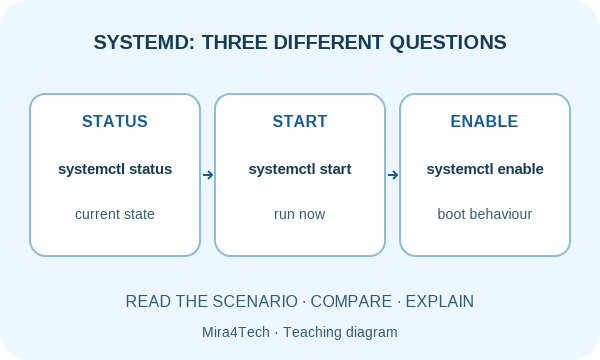
Teaching illustration for the practice module

How to work through a scenario

Read the goal and assumed environment, then separate known facts from untested assumptions. Compare choices with the task and distinguish inspection from modification. Choose an answer and review every explanation. If the outcome surprises you, return to the related guide and identify what changed your understanding.

Example scope and learning use

These bounded scenarios train understanding. Real environments can add different versions, policies or permissions. Output is authored example text and the page does not inspect your device. For real work, consult official documentation and your environment and use non-sensitive samples.

Sources and review

Prepared and edited by the Mira4Tech team. The teaching sequence uses format behaviour and app documentation. Menu names may differ by release and language; test a separate copy in your environment.

Interactive practice

Read the scenario conditions before answering. Review every choice after checking and retry if needed. The score covers these examples only.

Walk through the first scenario

Step through at your own pace, or play the walkthrough to follow each stage.

Identify environment and goal

demo.service

Read the task precisely

demo.service

Compare the action with the information needed

read → compare → explain

1. Which command inspects the training service status?

Read status from the system manager.

demo.service

Explanation of every choice
  1. rm demo.service — That asks the shell to remove a file, not inspect the service manager.
  2. systemctl status demo.service — Correct choice. status reports state and diagnostic information.
  3. systemctl stop demo.service — stop requests a state change rather than inspection.
  4. systemctl disable demo.service — disable concerns enablement rather than a status display.
2. Does enabled prove the service is running now?

The only supplied fact is the enablement query result.

systemctl is-enabled demo.service
enabled

Explanation of every choice
  1. No; inspect the current state too — Correct choice. Enablement configuration and running state are different facts.
  2. Yes, always — An enabled service can be inactive or failed.
  3. It proves it cannot be stopped — The output does not establish that stopping is prohibited.
  4. It means internet access works — This does not test connectivity.
3. How do you filter logs for the training unit?

journalctl is available and the task is read-only.

demo.service

Explanation of every choice
  1. systemctl start demo.service — That starts the service rather than reading its journal.
  2. journalctl --vacuum-time=1s — Vacuuming requests log cleanup rather than the required read filter.
  3. chmod +x demo.service — The execute bit does not select unit logs.
  4. journalctl -u demo.service — Correct choice. -u selects the unit whose logs you want.
4. What do you inspect when a unit is not found?

You expect a service but have not confirmed its name, scope or package installation.

Unit demo.service could not be found.

Explanation of every choice
  1. Disable the firewall first — The message concerns finding a unit, not evidence of a firewall problem.
  2. Rename a random file — Units require appropriate content, location and rules, not a random filename.
  3. Name, package and system versus user scope — Correct choice. The name or manager scope may differ, or the package may be absent.
  4. Delete all service files — Deletion does not identify the missing unit and can damage other services.
5. Which manager do you inspect for a user service?

The documentation identifies it as a user unit in your session.

demo.service (user unit)

Explanation of every choice
  1. Kill every service — That does not inspect scope and disrupts unrelated work.
  2. systemctl --user status demo.service — Correct choice. --user selects the user manager in the stated environment.
  3. Use systemctl status and assume identical scope — The default system manager may not contain the intended user unit.
  4. Rename it to EXE — That does not select a unit manager.