systemctl Unit Not Found: Check the Service Name and Unit Location
systemd could not find the requested unit in the selected manager scope. Understand the context and follow diagnostic checks and verification, with an original diagram and official references.
This guide explains the message in context, walks through focused checks and verifies the outcome. The website does not run commands on your device; choose an appropriate action after understanding its conditions.

What the message means
A not-found unit differs from an existing unit that is failed or inactive. The name may be wrong, the package absent or a user unit queried through the system manager. Enabling a nonexistent name does not fix it. This guide does not assume every Linux environment uses systemd.
Prepare a controlled check
Keep the message, time, app or device name and version. Save work and use a non-sensitive training file when testing. Start with an observable check, change one factor and record the result. On a managed device, follow your authorised access and organisation policies.
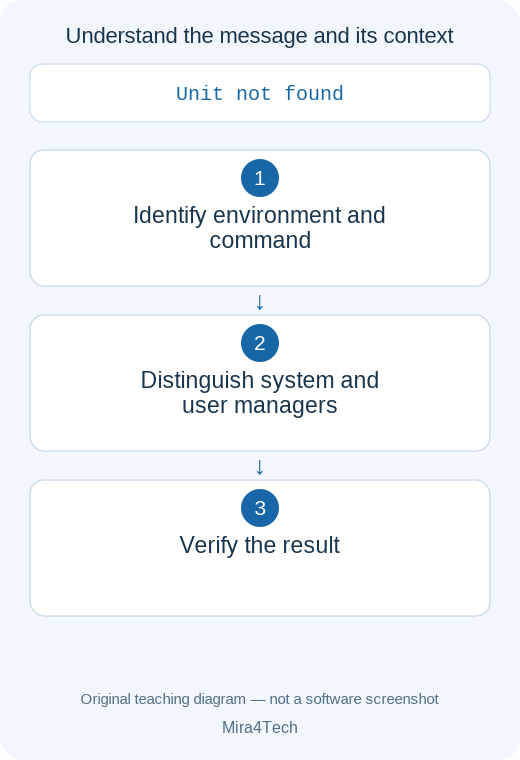
Step 1: Identify environment and command
Record the complete unit name and triggering command. Establish whether the Ubuntu, Debian, Fedora or CentOS Stream installation uses systemd or whether you are inside a container or another environment. A missing systemd manager is a different case.
Step 2: Find the installed unit name
List service unit files and consult package documentation. A web-server unit can be apache2 on one distribution and httpd on another. Do not start a list of guessed services because one name worked on a different machine.
Step 3: Distinguish system and user managers
Use --user for the intended user’s service. sudo is not a substitute and can change the relevant identity. Compare listings without starting services and record the scope where the actual unit exists.
Step 4: Check package or unit installation
Inspect the relevant package or the user unit you deliberately created. A unit file sitting in Downloads is not installed. Avoid copying an untrusted unit into system directories, where it could define a privileged program.
Step 5: Reload only when appropriate
After placing or editing a trusted unit in the correct location, follow the linked service guide’s manager-reload procedure. daemon-reload neither installs a missing package nor automatically starts a service. Inspect the correct unit’s status before an authorised start.
Inspection command examples
These examples inspect the applicable environment described above. Review output before making changes and redact personal data before sharing it. The APT nano example is a training package.
systemctl list-unit-files --type=service
systemctl --user list-unit-files --type=service
Verify the outcome
Verify that the correct name exists in the correct scope and that status is interpretable. An installed but inactive service is not necessarily broken. An authorised start still requires functional and log checks from the linked guide.
When to stop and seek help
Stop before starting an unexplained network service or installing an untrusted unit definition.
Two questions before another change
Is the code alone enough to choose a remedy?
No. The location and circumstances must match this guide. If a new code, message or stage appears, record it and establish its context before another action.
What evidence should I give support?
Provide the product and version, error and time, attempted checks and observed results. Redact passwords, recovery codes, identities and personal files. Verify a support provider before granting remote control.
Related practical guides
Sources and scope
Prepared and edited by the Mira4Tech team. The checking sequence uses documented message meanings and product guidance; it is not a claim of testing your device or proving one cause for every occurrence. Interface labels can vary with version and language.