Try it yourself

File format practice: extensions, conversion, transparency and codecs

Distinguish filenames from structure, then examine conversion purpose and possible losses.

Updated: 06/11/2026

Distinguish filenames from structure, then examine conversion purpose and possible losses. Examples use fixed names and facts stated in each question. Test exports in the target app, especially data, audio and transparent images.
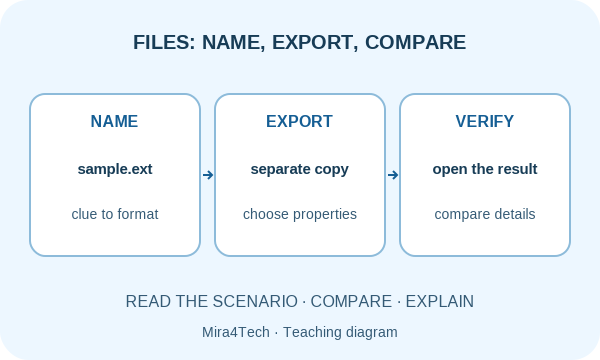
Teaching illustration for the practice module

How to work through a scenario

Read the goal and assumed environment, then separate known facts from untested assumptions. Compare choices with the task and distinguish inspection from modification. Choose an answer and review every explanation. If the outcome surprises you, return to the related guide and identify what changed your understanding.

Example scope and learning use

These bounded scenarios train understanding. Real environments can add different versions, policies or permissions. Output is authored example text and the page does not inspect your device. For real work, consult official documentation and your environment and use non-sensitive samples.

Sources and review

Prepared and edited by the Mira4Tech team. The teaching sequence uses format behaviour and app documentation. Menu names may differ by release and language; test a separate copy in your environment.

Interactive practice

Read the scenario conditions before answering. Review every choice after checking and retry if needed. The score covers these examples only.

Walk through the first scenario

Step through at your own pace, or play the walkthrough to follow each stage.

Identify environment and goal

photo.png → photo.jpg

Read the task precisely

photo.png → photo.jpg

Compare the action with the information needed

read → compare → explain

1. You renamed photo.png to photo.jpg. What certainly changed?

Only a rename occurred, with no editor or export.

photo.png → photo.jpg

Explanation of every choice
  1. Transparency certainly disappeared — Renaming alone does not establish that content change.
  2. The filename only — Correct choice. Renaming does not re-encode image content.
  3. The image data became JPEG — That requires an actual conversion.
  4. Resolution increased — A name adds no pixels or detail.
2. You need a still image with transparency. Which fits here?

The tool reads the source and exports PNG or JPEG, and an alpha channel must be preserved.

transparent artwork

Explanation of every choice
  1. PNG, then verify transparency — Correct choice. PNG supports transparency; inspect the actual export and app settings.
  2. JPEG expecting transparency to survive — Ordinary JPEG does not retain an alpha channel.
  3. TXT — That is text rather than the required image output.
  4. Rename only — That does not perform a reliable format conversion.
3. Two MP4 files behave differently on a TV. What should you inspect?

Both play on the computer, and codecs have not been inspected.

A.mp4 / B.mp4

Explanation of every choice
  1. Only the first filename letter — The name does not describe codecs.
  2. Assume the TV is broken — Compatibility has not yet been checked.
  3. Always delete the audio track — No established cause justifies removing audio here.
  4. Video and audio codecs, resolution and device support — Correct choice. The container alone does not establish playback of every track.
4. A CSV contains identifier 00123. Which import choice fits?

The leading zero is part of the identifier and must be retained.

00123,Sample

Explanation of every choice
  1. Rename CSV to JPG — That does not address column interpretation.
  2. Delete all zeros — That changes the required data.
  3. Set the identifier column to text and inspect the preview — Correct choice. Treating it as text preserves the required identifier representation.
  4. Convert it to an integer without review — That may discard the leading zero, which matters here.
5. Which file meets a need to edit design layers later?

You have a layered project and a final JPEG export.

project.xcf / final.jpg

Explanation of every choice
  1. Increase JPEG quality to recover layers — An image-quality setting does not restore project structure.
  2. Keep the layered project alongside the export — Correct choice. The project retains editing structure not replaced by a flattened delivery image.
  3. Delete the project and keep only JPEG — That can lose the layers needed for later editing.
  4. Rename JPG to XCF — Renaming does not reconstruct layers.