Download Filmora Trial: First Video Edit, Export and Watermark Explained
Learn Filmora with two clips: import, trim, add a title, preserve the project and export a checked video while understanding the trial watermark.

Know what the trial will export before a long edit
Filmora provides tools for arranging video, titles, sound and exports. We will use a small project containing two clips you own to understand editing, project preservation and output checks. The important starting fact is that trial exports contain a watermark according to the publisher. Do not begin a client delivery assuming that the final step will remove it for free.
A trial lets you evaluate the workflow and suitability for your computer; it is not a promise of a permanently free paid edition. A limited promotion or account-specific exception has its own conditions and is not a general rule. The goal is an informed decision before spending money, without promising a feature absent from your plan.
1. Download from Wondershare and check compatibility
- Visit the official Filmora website and select the desktop edition for your operating system. Do not confuse it with the phone app or a browser-based product.
- Read current system specifications, especially CPU, memory, graphics and free space. Recording resolution and codec also influence editing performance.
- Verify the installer and publisher, then read options and terms before accepting. Do not use a modified build or activation tool to bypass the watermark.
- Create a Filmora-Practice folder containing two short clips and optional audio you may legally use, while preserving originals separately.
If a feature requests sign-in, a subscription or AI credits, read what it actually includes. Editor access does not automatically mean every cloud service, resource collection or unlimited processing operation is covered. Avoid sending private media to a cloud feature while merely learning how the program works.
2. Separate trial access, editor licensing and resources
The trial allows exploration, but Wondershare documents a watermark on its output. Buying a suitable plan and signing into the entitled account is different from merely installing the application. Check the product, edition and platform covered, and whether additional resources or AI operations require another subscription or credits.
| Component | What to check |
|---|---|
| Trial | The normal trial export carries a watermark |
| Editor licence | Covered edition, platform and account entitlement |
| Resource library | Asset rights, permitted uses and plan requirements |
| AI services | Availability, credits and media-processing terms |
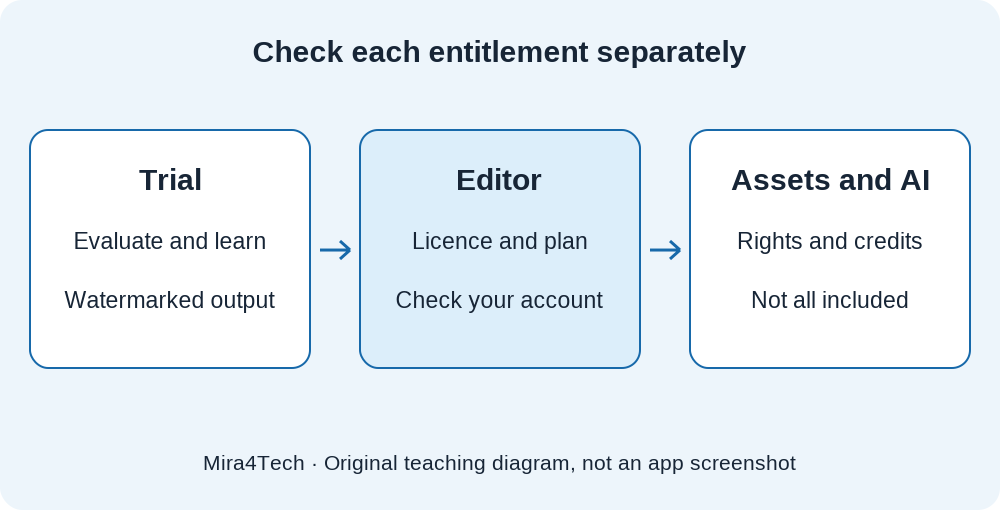
Export a short sample immediately and play it outside the editor. This reveals the output produced by your current account and prevents a surprise after hours of work. Do not describe a trial deliverable as watermark-free when the actual file contains the mark.
3. Create a project and choose its frame shape
Choose New Project and an aspect ratio appropriate to the destination: landscape for a typical computer display or portrait for a phone-focused piece. Import both clips into the media library using Import or the available equivalent. Inspect them before adding them to the timeline. A thumbnail in the library is not a reason to delete the original recording from storage.
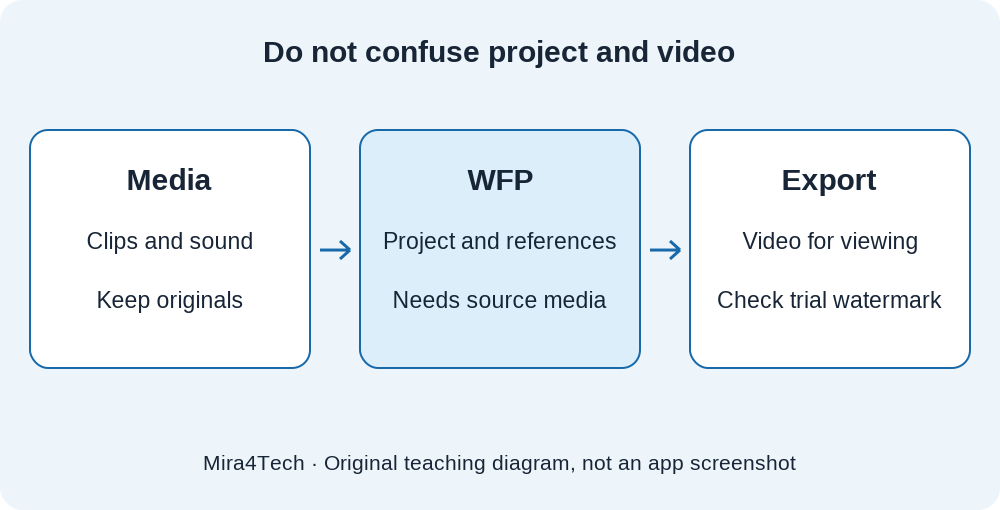
A project file such as WFP stores editing information and media references rather than a standalone finished video. Moving recordings or sending only the project to another computer may require locating missing files. Keep sources in a stable folder and name the project clearly so you can distinguish this exercise from later versions.
4. Trim and arrange the two shots
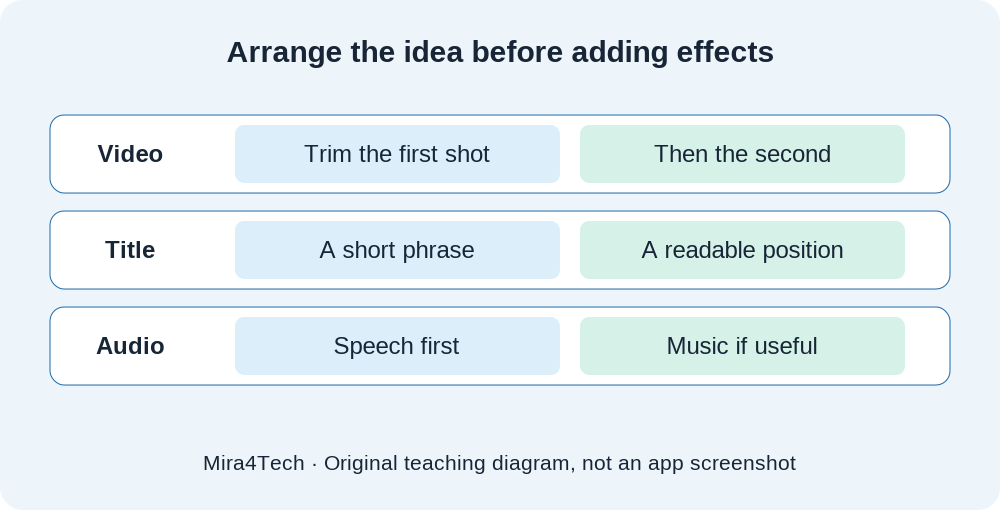
- Drag the first clip followed by the second onto the Timeline. Watch the order before adding titles.
- Drag a clip edge to trim an unwanted beginning or ending, or position the playhead and use Split for a division inside it.
- Select the unwanted part deliberately before deleting. Inspect the selected track and any gap left between remaining material.
- Play the join with sound. Begin with a clear direct cut rather than a transition that obscures the point or depends on a resource outside your plan.
When moving picture and sound, verify that synchronisation remains correct. Some operations can separate elements or move one independently. Undo an incorrect change instead of compensating with several poorly understood adjustments. Save a stable cut so you have a clear point to return to if later additions are unhelpful.
5. Make the title and sound support the explanation
Select a simple title available to your plan and place it above the video. Write a short phrase and inspect spelling, language support, text size and placement over the image. Adjust its duration so it disappears when its purpose is finished. A large template collection does not mean every production needs several animated headings.
Start with intelligible speech, adding licensed music only if it contributes. Listen through headphones at the start, join and ending. If using library material, check its terms and availability markers before depending on it; particular resources or uses can have restrictions. Two original clips and a plain title are enough to complete the entire exercise without outside assets.
6. Save and reopen the project before transferring it
Use Save Project or Save Project As to create a working file such as first-filmora-edit.wfp. Let saving finish, then reopen it with the sources still in place. Check that the shots, title and sound remain editable. Playing an MP4 is not this test because it checks a finished result rather than the project structure.
For transfer, follow the official Archive Project or media-collection process. Inspect whether required media is included and whether the receiving computer has a compatible editor release. Moving a WFP alone does not prove the recordings were moved. Before deleting any original, test the archive from an independent location so a missing source is discovered while it can still be recovered.
7. Export locally and inspect the actual file
Open Export and select a local output. Choose a filename, folder and suitable playback format such as MP4 where available. Review resolution, frame rate, duration and quality choices. Match the recording and destination instead of choosing larger numbers simply because they look better. Begin with the short sample to test compatibility, audio and licence limits.
When processing finishes, open the output in an independent player such as VLC. Watch the beginning, join and ending. Inspect frame shape, speech, titles and the expected trial watermark. A completed progress bar is not a complete editorial check, and one playable export is not a reason to discard the project.
If you later purchase a suitable licence, verify the correct account entitlement, reopen the original project and export again through the supported process. Cropping a watermark from an existing export is not software activation, and an unrelated subscription should not be assumed to remove it.
Handle slow previews and missing media methodically
For slow performance, inspect source size, memory, working space and other running applications. Reduce preview quality or use a documented proxy option where appropriate. A small project without effects helps separate a basic issue from a computationally demanding effect. Keep fast-preview settings distinct from the quality required in the final output.
For missing media, locate and relink the correct source, then watch it before saving the revised project. If activation or watermark behaviour conflicts with an expected licence, check the account, plan and edition with official support. Do not disclose licence secrets or payment details, and do not disable protection to download a supposed repair or activation file.
Questions before trying the steps
Is a watermark-free trial export guaranteed?
No. Normal trial exports are watermarked according to the publisher. A special promotion has its own eligibility and cannot justify a universal promise.
Is WFP the video I should send viewers?
It is an editing project needing its media. Share an appropriate exported video and preserve the project for later changes.
Choose a useful next step
Understand the separate free DaVinci Resolve edition
Official references and how this guide was prepared
- Filmora official download
- Windows system requirements
- Filmora Windows user guide
- Trial availability and watermark
- Trial export and paid entitlement
- Local export settings
- Archive and transfer projects
The Mira4Tech Team prepared this guide using publisher documentation. Practice tasks use files the reader owns; we have not installed these applications on every device or benchmarked them. Menus and plan limits can vary by release and region. Read the application’s terms before accepting a subscription. Teaching diagrams are original; product logos identify their respective products without affiliation or endorsement.