Try it yourself

Networking practice: read IP addresses, gateways and DNS results

Numbers and names here are training data.

Updated: 06/11/2026

Numbers and names here are training data. Assume a simple home network and distinguish local connectivity, name resolution and web service behaviour. Each test has a limited meaning. Record target, result and time before choosing the next check.
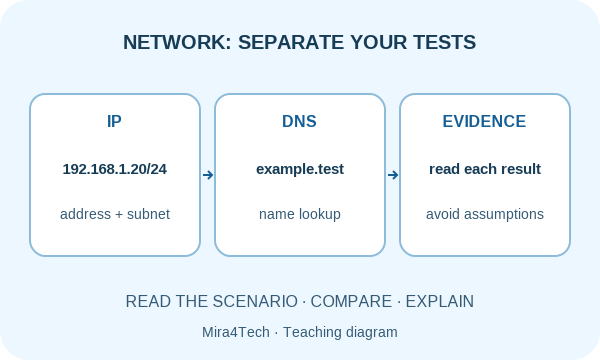
Teaching illustration for the practice module

How to work through a scenario

Read the goal and assumed environment, then separate known facts from untested assumptions. Compare choices with the task and distinguish inspection from modification. Choose an answer and review every explanation. If the outcome surprises you, return to the related guide and identify what changed your understanding.

Example scope and learning use

These bounded scenarios train understanding. Real environments can add different versions, policies or permissions. Output is authored example text and the page does not inspect your device. For real work, consult official documentation and your environment and use non-sensitive samples.

Sources and review

Prepared and edited by the Mira4Tech team. The teaching sequence uses format behaviour and app documentation. Menu names may differ by release and language; test a separate copy in your environment.

Interactive practice

Read the scenario conditions before answering. Review every choice after checking and retry if needed. The score covers these examples only.

Walk through the first scenario

Step through at your own pace, or play the walkthrough to follow each stage.

Identify environment and goal

IPv4 Address: 192.168.50.20 Subnet Mask: 255.255.255.0 Default Gateway: 192.168.50.1

Read the task precisely

IPv4 Address: 192.168.50.20 Subnet Mask: 255.255.255.0 Default Gateway: 192.168.50.1

Compare the action with the information needed

read → compare → explain

1. Which address is the default gateway?

Read only the displayed adapter.

IPv4 Address: 192.168.50.20
Subnet Mask: 255.255.255.0
Default Gateway: 192.168.50.1

Explanation of every choice
  1. 192.168.50.1 — Correct choice. That value is explicitly labelled Default Gateway.
  2. 192.168.50.20 — That is the adapter’s displayed IPv4 address.
  3. 255.255.255.0 — That is the subnet mask rather than the gateway address.
  4. No gateway is present — The output explicitly includes a gateway line.
2. With the same /24 mask, are these in the same subnet?

Assume no additional router or VPN affecting the example.

A: 192.168.50.20 /24
B: 192.168.50.90 /24

Explanation of every choice
  1. No because the final number differs — Different host portions are normal for two devices.
  2. Yes and this proves internet access — Subnet membership does not test internet access.
  3. The mask tells us nothing — The mask lets us identify the network portion here.
  4. Yes here, without guaranteeing every service — Correct choice. Their network portions match, while connectivity and policy still affect actual access.
3. Which tool queries DNS about a name?

You want to inspect name resolution for example.com on Windows.

example.com

Explanation of every choice
  1. Change the router password — That changes configuration instead of directly answering the resolution question.
  2. Rename the browser — The local application name does not issue a DNS query.
  3. nslookup example.com — Correct choice. It performs a DNS query in this environment.
  4. ipconfig alone — It displays basic configuration rather than requesting this query.
4. What does a ping reply establish?

The target replied to ICMP requests at test time.

Reply from 192.168.50.1: bytes=32 time=2ms

Explanation of every choice
  1. The full internet download speed — Round-trip time is not a direct measurement of file-download throughput.
  2. An ICMP reply from the target at test time — Correct choice. This is a bounded result, not a test of every app or website.
  3. All websites work — The test does not open every web service.
  4. The share password is correct — ping does not authenticate a file share.
5. A ping request times out. Which conclusion is appropriate?

No other test results are available.

Request timed out.

Explanation of every choice
  1. No reply arrived in time; further checks are needed — Correct choice. The target, path or ICMP policy may explain the result.
  2. The target is certainly broken — An ICMP timeout alone does not establish that.
  3. The entire country is offline — One device’s test cannot support that generalisation.
  4. All credentials are wrong — The test does not validate account credentials.