Install Git on Windows and make your first local repository
Use the official installer, verify git --version and practise status and diff in a local training folder.
Install and verify Git
Open the official Windows download page and choose a matching build. If using WinGet, inspect Git.Git before approval. Open a fresh shell and run git --version. Record the version if troubleshooting.
Start in an empty folder
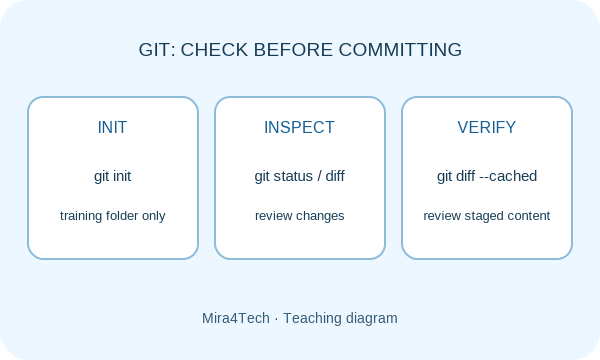
Make a separate training folder and confirm the shell path. git init creates local repository metadata. Add notes.txt with sample text, then run git status to identify the untracked file.
Review what will be recorded
Use git add notes.txt to stage only that file, then review it with git diff --cached. After editing a tracked file, git diff shows unstaged changes. Review each file before staging the whole directory.
Understand local work and sharing
Initialisation and inspection are local and do not require a hosting account. To make a first commit, configure an appropriate identity for that repository and review staged content. Avoid secrets and personal files; later deleting a file does not erase it from history.
See the difference between saving and staging before the first commit
Open PowerShell inside a new, empty training folder. The exercise writes notes.txt, so use it only in that folder. It stages the first line, then appends a second line to the copy on disk.
git init -q
Set-Content -LiteralPath 'notes.txt' -Value 'alpha' -Encoding UTF8
git add -- notes.txt
Add-Content -LiteralPath 'notes.txt' -Value 'beta' -Encoding UTF8
git status --short
git diff --cached -- notes.txt
git diff -- notes.txt
In a local test, the short status was AM notes.txt. The first A means the file is staged for addition. The second M means the working copy changed after staging. The staged diff showed +alpha, and the unstaged diff showed +beta. A PowerShell version that adds a UTF-8 byte order mark can make the start of the alpha line display differently.
To include both lines in the first commit, run git add -- notes.txt again. A fresh git diff --cached -- notes.txt shows both lines, and git diff -- notes.txt is empty. At this point the changes are staged. You can end the exercise before making a commit.