Try it yourself

Windows setup practice: backups, drivers and app review

These are decision scenarios before and after Windows 11 installation.

Updated: 06/11/2026

These are decision scenarios before and after Windows 11 installation. Practise ordering work and verifying outcomes. Read the task and constraints instead of choosing the largest action. Prepare a readable backup and distinguish file recovery from restoring system settings.
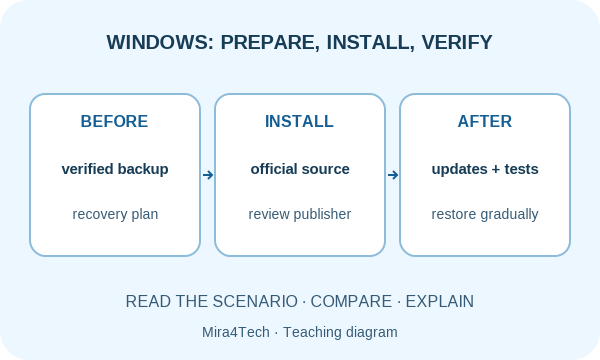
Teaching illustration for the practice module

How to work through a scenario

Read the goal and assumed environment, then separate known facts from untested assumptions. Compare choices with the task and distinguish inspection from modification. Choose an answer and review every explanation. If the outcome surprises you, return to the related guide and identify what changed your understanding.

Example scope and learning use

These bounded scenarios train understanding. Real environments can add different versions, policies or permissions. Output is authored example text and the page does not inspect your device. For real work, consult official documentation and your environment and use non-sensitive samples.

Sources and review

Prepared and edited by the Mira4Tech team. The teaching sequence uses format behaviour and app documentation. Menu names may differ by release and language; test a separate copy in your environment.

Interactive practice

Read the scenario conditions before answering. Review every choice after checking and retry if needed. The score covers these examples only.

Walk through the first scenario

Step through at your own pace, or play the walkthrough to follow each stage.

Identify environment and goal

Backup completed

Read the task precisely

Backup completed

Compare the action with the information needed

read → compare → explain

1. How do you test a backup before formatting?

Important files were copied to separate storage.

Backup completed

Explanation of every choice
  1. Only rename the files — Names do not establish data integrity.
  2. Rely only on folder size — Size is an indicator, not a read and completeness test.
  3. Open samples and verify needed contents — Correct choice. A copy-completed message alone does not test the needed contents.
  4. Delete the original immediately — Verification should come before an action that is hard to reverse.
2. With BitLocker, what do you review before changes that may require recovery?

You need to retain access to the encrypted drive.

Encrypted system drive

Explanation of every choice
  1. Delete all old keys without review — You may remove a key still needed for a drive.
  2. The correct recovery key location and safe accessibility — Correct choice. The key belongs in the recovery plan and must match the correct drive.
  3. Publish the key publicly — The key enables data access and should be kept privately.
  4. Rely only on the device name — A device name does not replace the required recovery key.
3. What is an appropriate starting source for drivers?

You know the manufacturer and model.

Windows 11 / known hardware model

Explanation of every choice
  1. Windows Update and the manufacturer’s matching model page — Correct choice. This ties the driver to its source and intended hardware.
  2. Any ad promising every driver update — The claim does not establish source or hardware compatibility.
  3. A driver for a merely similar model — Similar names do not guarantee compatibility.
  4. Rename a driver file — Renaming does not change driver content or signature.
4. What do you inspect before a WinGet install command?

The site displayed an explicit package identifier.

winget show --id 7zip.7zip --exact --source winget

Explanation of every choice
  1. Only the button colour — Appearance does not identify the installed software.
  2. Accept all agreements without reading — Agreements are part of your decision rather than something to bypass automatically.
  3. Always run every command as administrator — Privileges depend on the operation and should not be expanded needlessly.
  4. Name, publisher, source, requirements and licence — Correct choice. Package details support a decision before installation.
5. How do you verify an app after installation?

The task is opening a known sample and saving a copy if editing is required.

Installation finished

Explanation of every choice
  1. Install several alternatives before testing — That adds changes and complicates diagnosis.
  2. Delete the sample first — That removes the required test input.
  3. Open it, perform the sample task and inspect the result — Correct choice. This tests the intended use rather than relying on the installer message alone.
  4. A shortcut is enough — A shortcut does not test the app or file.