Try it yourself

APT and DNF practice: package managers and installation plans

These examples cover Ubuntu and Debian with APT and Fedora and CentOS Stream with DNF.

Updated: 06/11/2026

These examples cover Ubuntu and Debian with APT and Fedora and CentOS Stream with DNF. Check distribution and release before choosing a command. The exercise distinguishes inspection from system changes and uses package names as teaching examples.
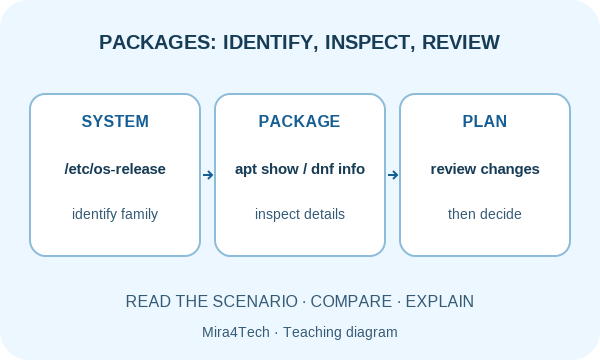
Teaching illustration for the practice module

How to work through a scenario

Read the goal and assumed environment, then separate known facts from untested assumptions. Compare choices with the task and distinguish inspection from modification. Choose an answer and review every explanation. If the outcome surprises you, return to the related guide and identify what changed your understanding.

Example scope and learning use

These bounded scenarios train understanding. Real environments can add different versions, policies or permissions. Output is authored example text and the page does not inspect your device. For real work, consult official documentation and your environment and use non-sensitive samples.

Sources and review

Prepared and edited by the Mira4Tech team. The teaching sequence uses format behaviour and app documentation. Menu names may differ by release and language; test a separate copy in your environment.

Interactive practice

Read the scenario conditions before answering. Review every choice after checking and retry if needed. The score covers these examples only.

Walk through the first scenario

Step through at your own pace, or play the walkthrough to follow each stage.

Identify environment and goal

Ubuntu / Debian

Read the task precisely

Ubuntu / Debian

Compare the action with the information needed

read → compare → explain

1. Which package-manager family fits Ubuntu here?

This is an ordinary Ubuntu system using its distribution repositories.

Ubuntu / Debian

Explanation of every choice
  1. Windows Installer — It is not Ubuntu’s package manager.
  2. Rename the package to EXE — Renaming does not convert a package to another system.
  3. APT — Correct choice. APT matches the stated environment.
  4. DNF just because the downloaded file is RPM — An unsuitable downloaded package does not change the distribution family.
2. What does apt update do here?

Assume correctly configured sources; focus on command meaning rather than network errors.

apt update

Explanation of every choice
  1. Creates a ZIP file — That is an unrelated archive task.
  2. Refreshes package indexes from sources — Correct choice. Refreshing indexes differs from upgrading installed packages.
  3. Immediately upgrades all applications — That is not the role of APT update.
  4. Deletes the home directory — The command does not request that operation.
3. Inspect nano on Fedora without requesting installation. Which fits?

DNF is available and the task is package description.

nano

Explanation of every choice
  1. dnf info nano — Correct choice. info requests package information in this environment.
  2. dnf install nano — install requests installation rather than inspection alone.
  3. apt install nano — That targets a different package manager and requests installation.
  4. chmod nano — chmod changes path permissions rather than showing package details.
4. The plan removes a package you need. What should you do?

You have not approved the transaction.

Install: example-app
Remove: required-app

Explanation of every choice
  1. Approve because the new app name looks correct — A plausible app name does not justify removing an important dependency.
  2. Hide the warnings — Hiding warnings does not change the transaction’s effect.
  3. Rename the package to TXT — Renaming does not resolve dependencies.
  4. Stop and review the removal reason and alternatives — Correct choice. The transaction plan informs the decision before changes.
5. What comes first when another process holds an APT lock?

The message names a PID and a trusted update may be running.

Could not get lock ... held by process 1234

Explanation of every choice
  1. Kill all system processes — That is an excessive action outside the task.
  2. Change the distribution name — A label does not change the locking process.
  3. Identify the process and check progress before intervening — Correct choice. The lock protects concurrent writes; a lock filename is not a reason to delete it.
  4. Delete all lock files — Deletion does not resolve a live process lock and can endanger package state.